How do you add keywords to Squarespace?
If you want your Squarespace site to rank, keywords need to live in the right places not everywhere. Focus on search intent, page structure, and clarity, not stuffing or hacks.
Include keywords naturally in your
page titles and meta descriptions
headings (H1–H3),
URLs,
image alt text,
page copy
Focus on one primary keyword per page and support it with related phrases to help Google and AI tools understand your content.
How do keywords work for your website?
You add keywords to Squarespace (or any website) by placing them strategically in your page title, meta description, headings, body content, image alt text, and URL slug. There’s not a single “keyword field”. Implementing keywords for SEO works by structuring content clearly so search engines understand what each page is about.
Most Squarespace sites don’t rank because keywords are ignored, stuffed, added randomly or only inside body copy. Google (and AI tools) look first at structure and context.
Squarespace gets blamed for bad SEO way more than it deserves. Most of the websites I audit aren’t failing because of the platform, but they’re failing because no one ever explained how to add keywords to optimize each page of your Squarespace site, where keywords go or why they matter in the first place.
So people guess and either ignore keywords all together or shove a. bunch of keywords into page descriptions, rename images, cross their fingers… and hope Google figures it out.
Where exactly Should Keywords Go on a Squarespace Website?
How to Add Keywords to your Squarespace website… Not everywhere. Not randomly. Strategically and naturally.
Keywords should appear in your page title, meta description, main heading (H1), sub headings (H2, H3), URL, alt tags, and naturally within your page content. Each web page targeting one primary keyword/search intent.
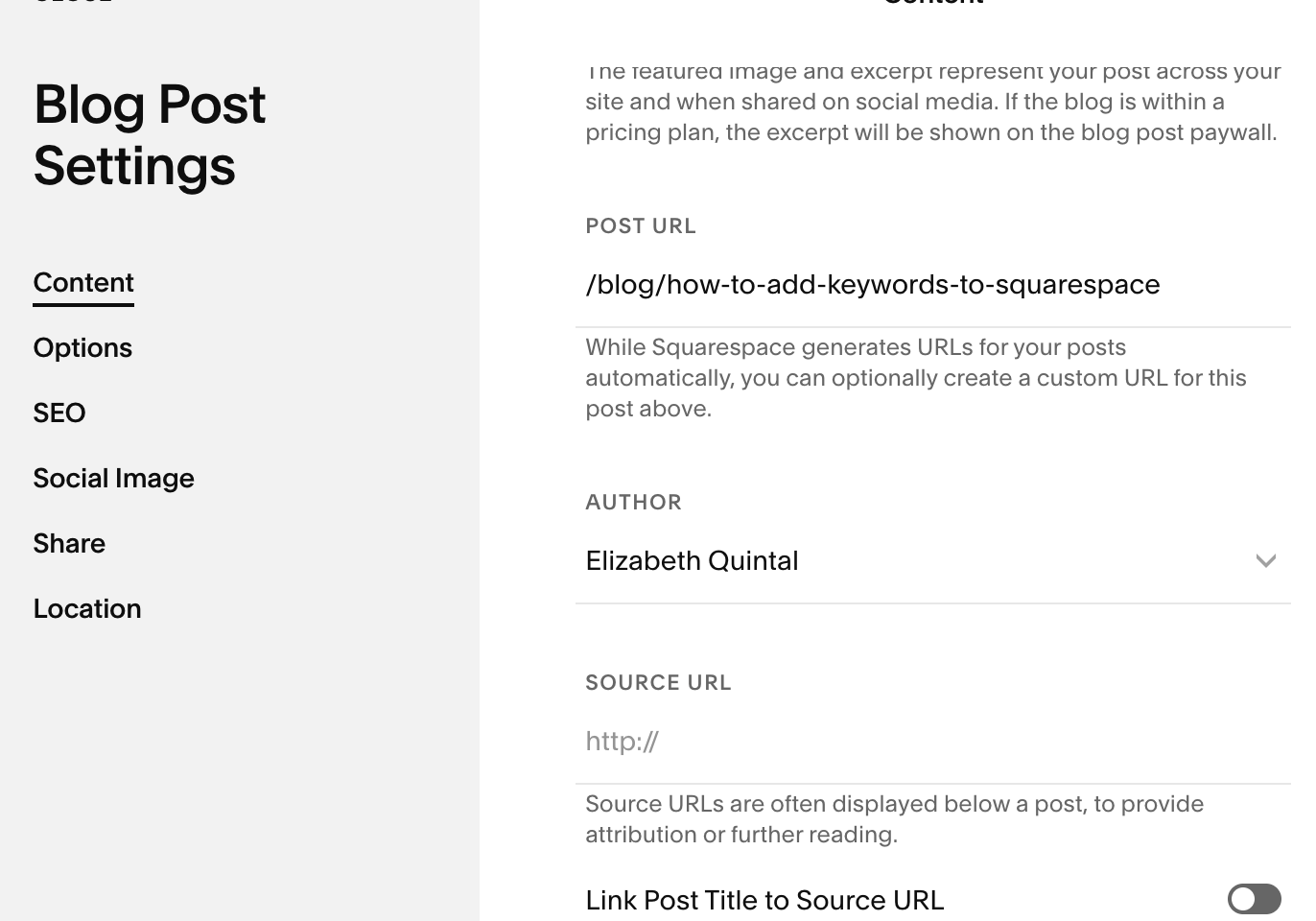
Add Keyword to the URL
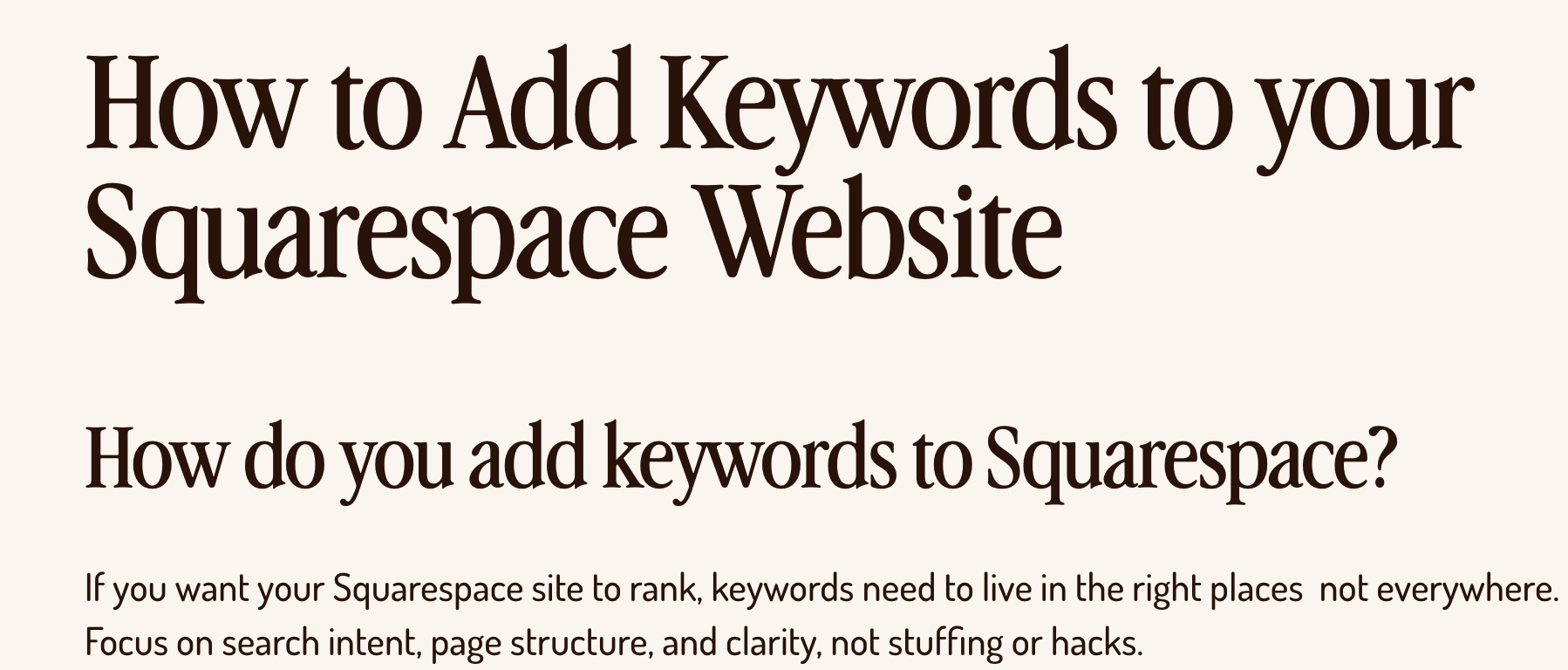
Add Keyword to the Headings (Title/H1 & H2)
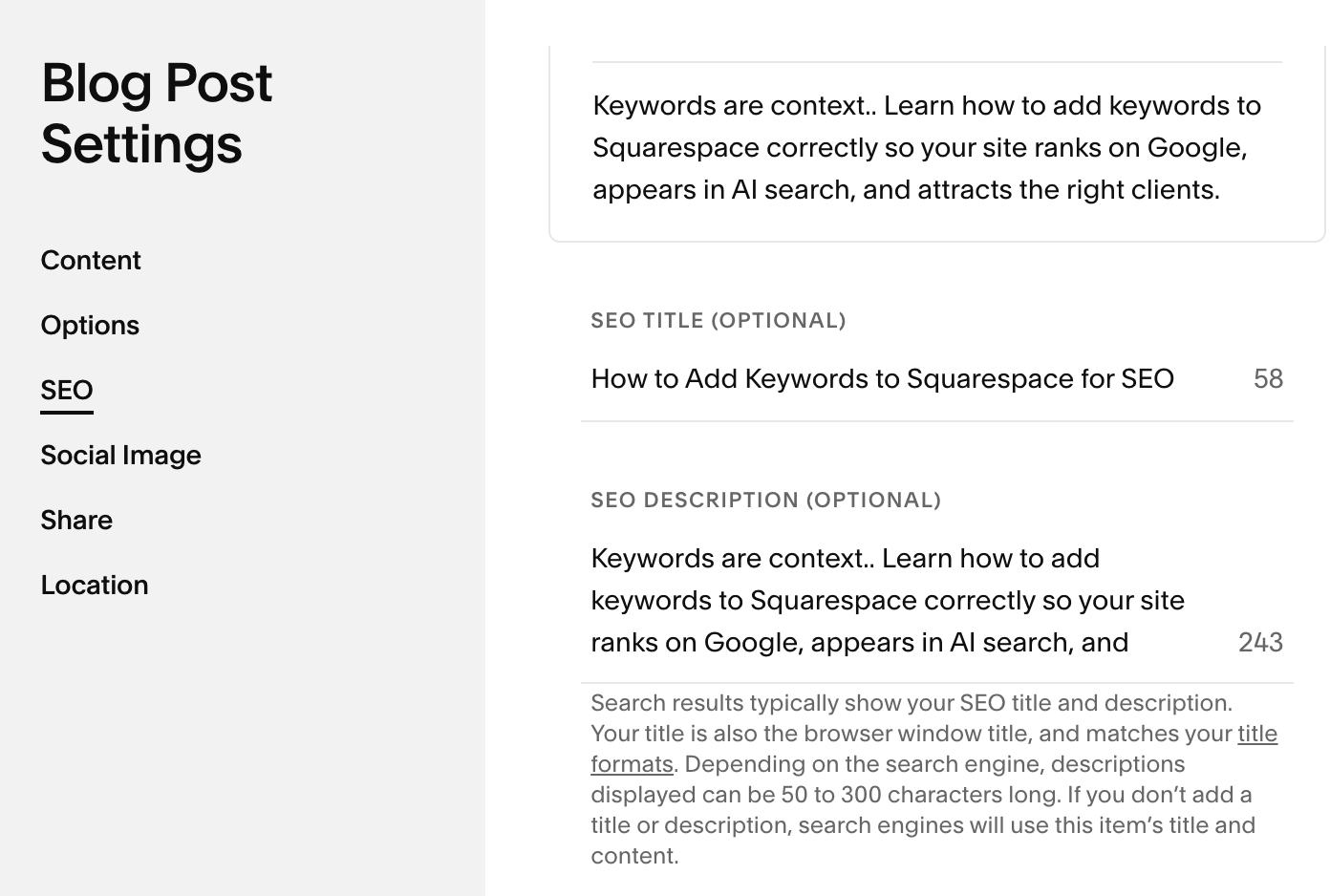
Add Keyword to meta title & meta description
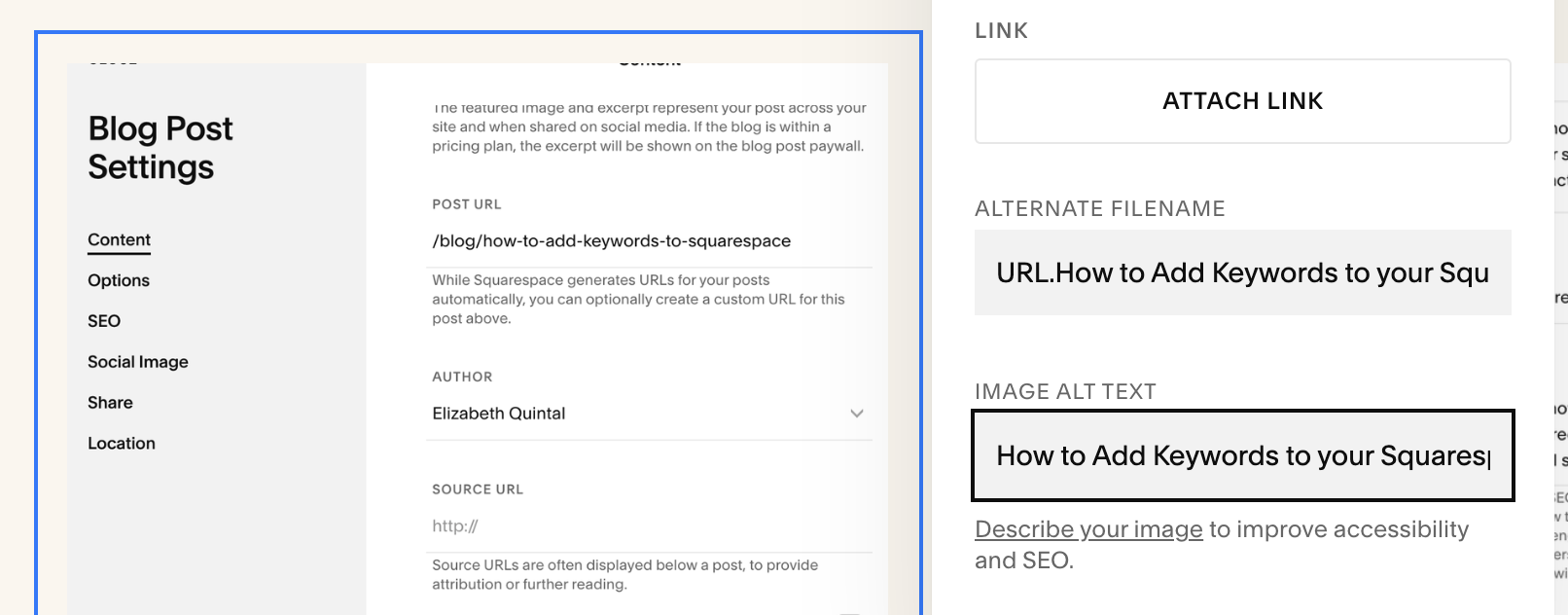
Add Keyword to Alt Text
What Keywords Actually Mean for Squarespace SEO
Keywords aren’t magic words you sprinkle on a page and hope Google notices. Keywords are context. They tell Google what this page is about, who it’s for, and when it should show up.
That’s where search intent comes in.
When you’re thinking about how to add keywords to Squarespace and what keywords to add to your site, one of the key factors to consider is why someone is searching certain keywords and phrases.
Someone searching “best hot yoga studio in Brooklyn” is in a very different mindset than someone typing “different types of yoga and their benefits.” One is ready to hire. One is still learning. Good SEO meets people where they are, not where you wish they were.
When you clearly understand the intent of the search (commercial/transactional vs informational/navigational) you know where to use those keywords (service pages vs blog pages) and how to internally link them… and why you need both.
This is also where long-tail keywords win.
Not vague, competitive stuff like “yoga studio,” but specific, real-human searches like:
“yoga for perimenopause”
“yoga workout for beginners”
“10 minute yoga for beginners”
“yoga poses for back pain ”
And no, guessing doesn’t work. Writing what you think people search is how you end up with a beautiful site that no one ever finds.
Where to Add Keywords in Squarespace
Page titles & Meta descriptions
This is what shows up in Google results. Your page title should clearly match what someone is searching, not just sound cute or branded.
Bad: “Welcome”
Better: “Hot Yoga Classes for Beginners | Brand Name”
Headings (H1–H3)
Your H1 tells Google the main topic of the page.
Your H2s and H3s support it with clarity and structure.
Think: outline, not essay.
URLs
Clean > clever.
Bad: websitename.com/services-page-1-new-version-final-xyz
Better: websitename.com/hot-yoga-for-beginners
Image alt text
Alt text isn’t for keywords it’s for context and accessibility.
Describe the image like a human. If a keyword fits naturally, great. If not, don’t force it. But try to add your primary keyword to at least 2 image alt tags in a web page.
Blog posts vs service pages
Understanding search intent of keywords is important here. Knowing which keywords are commercial / transactional keywords ( money keywords) vs navigational/informational keywords.
- Service pages target buyer intent. - ex: “Hot yoga studio Brooklyn”
- Blog posts target questions and education. - ex: “how to prepare for hot yoga”
Both matter, they just do different jobs. This is also where internal linking strategy comes into play. Linking your blog post containing informational keyword content back to your service (money) pages.
What Not to Do With Keywords
This part matters, because bad SEO can actually hurt you.
Keyword stuffing:
If it sounds weird out loud, Google agrees.
Using the same keyword on every page:
This is called keyword cannibalization, when 2 or more of your web pages rank for the same keyword which could cause you not to rank at all. Each page needs one clear job, one clear keyword. Competing with yourself is a real thing.
Ignoring internal links:
If your pages aren’t connected, Google won’t understand your site’s hierarchy and expertise.
What to Fix First If You’re Short on Time
Checklist:
how to add keywords to Squarespace Checklist
☐ Select one clear primary keyword per page (based on keyword research and search intent)
☐ Page title matches what someone would actually search with primary keyword for that page
☐ One strong H1 that clearly states the page topic with primary keyword for that page
☐ Supporting H2s that answer related questions with primary keyword in at least one H2
☐ Clean, readable URL
☐ Internal links between related pages and blogs
☐ Service pages built for buyers & blogs built for questions and answering informational queries and searches
Start with one page on your website and repeat the steps for each page on your site.
How to add keywords to Squarespace isn’t hard , but doing it strategically is where most sites fall apart.
If your website was built to look good first and “figure out SEO later,” you’re not behind… you’re just missing the foundation. And once that foundation is in place, everything else gets easier: content, visibility, AI search, even conversions.
If you want to:
stop guessing what keywords to use
make sure your Squarespace site is actually readable by Google and AI tools
and set this up once so it works long-term
That’s exactly what my SEO Jumpstart and Squarespace + SEO Services are designed for.
Key Takeaways
How to Add Keywords to your Squarespace
URL, ALT tag, Metadata (title and description), H1 & H2 headings, sprinkled naturally throughout page content (but no stuffing)
Squarespace SEO relies on page structure
Keywords work best when they match search intent, not branding language
Use one primary keyword per page for clarity
Headings (H1–H3) Structure help Google and AI understand topic hierarchy
Structure > stuffing
Internal links strengthen keyword relevance
Squarespace is not bad for SEO, unclear strategy is